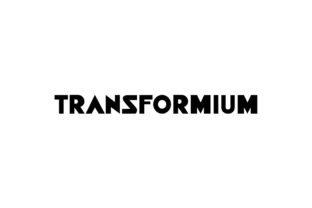
Transformium: A Futuristic Sans Serif That Delivers
If you've ever spent 20 minutes scrolling through font libraries only to land on something that feels *almost* right—but never quite clicks—Transformium might be the quiet reset your design workflow needs. It’s not just another geometric sans serif. It’s a carefully balanced fusion of precision and personality: clean enough for enterprise dashboards, expressive enough for indie album art, and legible enough for classroom handouts printed on budget paper.
Developed with contemporary digital interfaces and cross-platform readability in mind, Transformium avoids the sterility of ultra-minimalist fonts while sidestepping the visual noise of overly stylized alternatives. Its letterforms carry subtle optical corrections—slightly widened apertures on a, e, and s; gently tapered terminals on c and e; and consistent x-height proportions across weights—that add up to real-world performance, not just aesthetic appeal.
What Makes Transformium Stand Out (Without Shouting)
Unlike fonts built for headlines alone, Transformium was designed as a cohesive system—not just a single weight or style, but a thoughtfully expanded family spanning six weights (Thin to Black), each with matching italics. The italics aren’t slanted copies; they’re redrawn with fluid, slightly calligraphic movement—ideal for pull quotes, editorial accents, or interface labels where tone matters.
Its spacing is tuned for both tight UI environments and generous editorial layouts. You’ll notice how the lowercase f and l avoid awkward collisions in common words like “life” or “filter,” and how the uppercase I includes a discreet serif-like base to distinguish it from the numeral 1—a small detail that prevents misreads in data-heavy contexts.
It also ships with robust OpenType features: true small caps, discretionary ligatures (like st and ft), case-sensitive punctuation, and localized forms for international use—including support for Latin Extended-A, Greek, and Cyrillic scripts. That means a single license covers a bilingual newsletter, a SaaS dashboard serving users in Warsaw and São Paulo, or an academic journal citing sources in multiple languages.
Where Transformium Earns Its Keep
Real value isn’t in specs—it’s in how a tool fits into your actual work. Here’s where Transformium consistently delivers:
- Product & SaaS interfaces: Its even color and open counters maintain clarity at 12px in dense admin panels, while its bolder weights hold up beautifully in onboarding modals or empty-state illustrations.
- Educational materials: Teachers using Transformium in slide decks report fewer student questions about “what does this say?”—especially with complex terms or phonetic spellings. Its clear distinction between o, 0, and O helps reduce cognitive load in STEM handouts.
- Branding & identity systems: Startups and agencies use Transformium as a primary typeface when they need to signal forward-thinking without leaning into sci-fi clichés. One fintech client replaced their dated slab serif with Transformium Light + Bold and saw a measurable uptick in perceived trustworthiness during user testing—likely due to its neutral-yet-confident rhythm.
- Print collateral: It performs well on uncoated stock and lower-DPI printers. A regional publisher switched from Montserrat to Transformium for their quarterly magazine and cut proofing rounds by one full iteration—fewer “is that an r or a v?” notes from editors.
- Personal projects: Bloggers, podcasters, and hobbyist designers tell us they reach for Transformium when they want consistency across thumbnails, show notes, and merch—no need to juggle three different fonts to cover headings, body, and captions.
Practical Considerations Before You Commit
Transformium isn’t magic—and it won’t fix poor hierarchy, weak contrast, or inconsistent spacing. Like any strong typeface, it works best when paired intentionally. Avoid stacking it with other high-contrast or highly decorative fonts. It pairs cleanly with restrained serifs (e.g., Literata or IBM Plex Serif) for editorial balance, or stands confidently alone in minimalist layouts.
Licensing is straightforward: one-time purchase per project, with options for desktop, web, app, and ePub use. No subscriptions. No surprise fees for additional domains or team members—just clear tiers based on usage scale. If you're embedding it in a commercial mobile app with over 500k installs, yes, there's a higher tier. But if you're designing a portfolio site or small business brochure? The standard license covers it.
One realistic caveat: because Transformium leans into optical refinement rather than extreme geometry, it may feel “softer” than fonts like Inter or Space Grotesk at first glance. That’s intentional—it’s designed to recede slightly, letting content breathe. If your goal is aggressive visual dominance (think festival posters or hype-driven landing pages), test it alongside bolder, more condensed options first.
A Few Realistic Recommendations
Start simple. Try Transformium Regular at 16–18px for body copy in your next email campaign or Notion workspace. See how the rhythm feels with your brand voice. Then layer in Medium or SemiBold for subheads—no need to jump straight to Black unless you’re designing a keynote title slide.
For developers: the variable font version (available in the Pro bundle) lets you dial in precise weight and width values via CSS. That means one file can replace six static files—and you gain fine-grained control over responsive typography. Just remember to set fallbacks for older browsers.
If you're evaluating fonts for a long-term brand system, print out samples at actual size—not just on screen. Check how Transformium renders on your most-used devices: a mid-tier Android tablet, an older MacBook, a Windows laptop with ClearType enabled. Fonts behave differently across rendering engines, and Transformium’s hinting holds up better than average on Windows at smaller sizes.
Finally—don’t overlook the italics. Many teams skip them entirely, defaulting to oblique faux-italics. With Transformium, the italic is a fully realized voice. Use it for emphasis, attribution, or gentle visual pacing—not just for foreign phrases.
Transformium doesn’t try to be everything. It’s not nostalgic. It’s not retro-futuristic. It’s not trying to mimic handwriting or evoke a specific decade. It’s simply a well-made, adaptable, human-centered sans serif built for how people actually read, interact, and make decisions today—across screens, papers, classrooms, dashboards, and storefronts. When your typography fades into the background just enough to let meaning shine through, that’s when you know it’s working.